
How to Use Color Picker: Complete Tutorial for Professional Color Selection
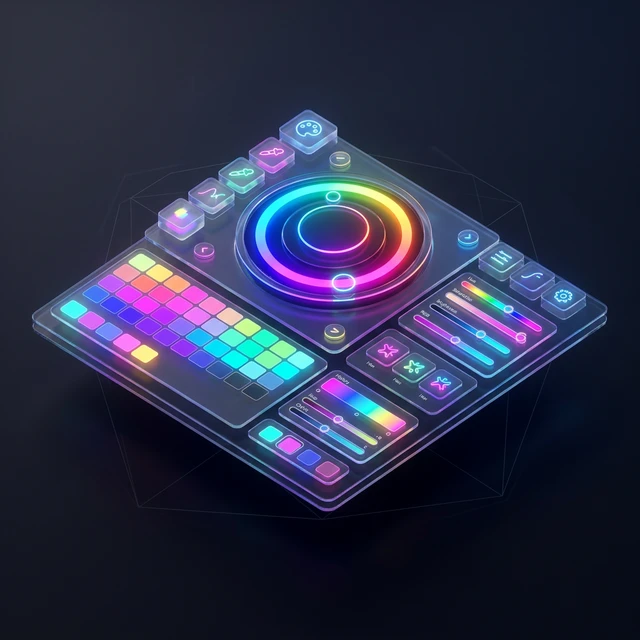
Mastering color picker tools is essential for designers, developers, and creative professionals who work with digital colors. Color pickers provide precise control over color selection, format conversion, and palette management. This comprehensive tutorial covers everything from basic color selection to advanced techniques, enabling you to leverage color picker tools effectively for professional projects, brand development, and creative endeavors.
Color Picker Interface Overview
Color Wheel
Visual Selection
Hue Control
Intuitive
HSB Sliders
Precise Control
Values
Professional
255,87,51
H: 11° S: 80% B: 100%
Value Input
Multiple Formats
Exact Values
Technical
Preview
Live Preview
Context View
Validation
Table of Contents
- Understanding Color Picker Interface
- Color Selection Methods
- RGB Color Model
- HSB/HSV Color Model
- Hex Color Codes
- Try Our Professional Color Picker
- Step-by-Step Color Selection Process
- Step 1: Choose Your Selection Method
- Step 2: Select Your Base Color
- Step 3: Refine Your Color Selection
- Step 4: Export and Apply Your Color
- Advanced Color Picker Techniques
- Color Format Conversions
- Color Picker for Different Applications
- Color Accessibility Considerations
- Color Picker Integration Workflows
- Troubleshooting Common Color Issues
- Professional Color Management Best Practices
- Frequently Asked Questions
- Related Color Design Guides
Understanding Color Picker Interface
Modern color picker interfaces combine multiple color selection methods into unified tools. The visual color wheel allows intuitive selection based on color relationships. Sliders control hue, saturation, and brightness (HSB) or red, green, blue (RGB) values. Input fields enable precise numerical entry. Swatch areas store frequently used colors. Preview areas show selected colors in different contexts. Understanding these interface elements enables efficient color selection and management.
Color Selection Methods
Professional color pickers offer multiple selection methods for different workflows. Visual selection uses the color wheel and spectrum for intuitive choices. Numerical entry provides precise control using RGB, HSL, or hex values. Eyedropper tools sample colors from existing designs or images. Palette browsing selects from pre-defined color collections. Each method serves different purposes, from creative exploration to technical precision, allowing you to choose the most appropriate approach for your specific needs.
RGB Color Model
The RGB (Red, Green, Blue) color model combines three primary colors to create millions of variations. Each color channel ranges from 0-255, with 0 representing no color and 255 representing maximum intensity. RGB is additive, meaning colors combine to create white at maximum values. This model is ideal for digital displays and screen-based design. Understanding RGB values enables precise color reproduction across digital platforms and ensures consistency in web and mobile applications.
HSB/HSV Color Model
HSB (Hue, Saturation, Brightness) or HSV (Hue, Saturation, Value) provides more intuitive color control for designers. Hue represents the pure color (0-360 degrees on the color wheel). Saturation controls color intensity (0-100%). Brightness or Value determines lightness (0-100%). This model matches human color perception better than RGB, making it ideal for creative color exploration and adjustments. HSB enables efficient color variations while maintaining consistent relationships.
Hex Color Codes
Hexadecimal color codes represent RGB values in six-digit format for web use. The format #RRGGBB uses two hexadecimal digits for each color channel (00-FF). For example, #FF0000 represents pure red, #00FF00 represents pure green, and #0000FF represents pure blue. Hex codes are essential for web development, CSS styling, and digital design workflows. Understanding hex conversion enables seamless integration between design tools and development environments.
Try Our Professional Color Picker
Experience advanced color selection with our intuitive color picker tool.
Use Color Picker →Step-by-Step Color Selection Process
Step 1: Choose Your Selection Method
Start by selecting the most appropriate method for your needs. Use the color wheel for creative exploration and finding harmonious combinations. Use numerical input for precise color matching with existing designs. Use the eyedropper tool to sample colors from reference images or websites. Consider your workflow requirements and choose the method that provides the best balance of speed and accuracy for your specific project.
Step 2: Select Your Base Color
Click or drag on the color wheel/spectrum to select your initial color. Watch the preview area to see how your selection appears in different contexts. Adjust saturation and brightness sliders to fine-tune the color intensity and lightness. For precise matching, enter specific RGB or hex values if you have target colors in mind. Take time to explore variations before settling on your final selection.
Step 3: Refine Your Color Selection
Use the fine-tuning controls to adjust your color precisely. Modify individual RGB channels for technical accuracy. Adjust HSB values for creative variations. Compare your selection against reference colors to ensure proper matching. Test your color in different contexts and lighting conditions. Save promising variations to swatches for future reference and comparison.
Step 4: Export and Apply Your Color
Copy your selected color in the appropriate format for your application. Use hex codes for web development and CSS. Use RGB values for digital design software. Use CMYK conversions for print applications. Save colors to palettes for consistent reuse across projects. Document color choices for team collaboration and brand guidelines. Ensure proper color management throughout your workflow.
Advanced Color Picker Techniques
Professional color picker usage goes beyond basic selection to include sophisticated techniques. Color harmony tools automatically generate complementary, analogous, or triadic color schemes. Color blindness simulators ensure accessibility for all users. History tracking maintains recently used colors for efficient workflows. Batch processing enables simultaneous color adjustments across multiple elements. These advanced features transform basic color selection into professional color management.
Color Format Conversions
| Format | Use Case | Example | Advantages | Limitations |
|---|---|---|---|---|
| Hex (#RRGGBB) | Web development, CSS | #FF5733 | Compact, widely supported | Limited to RGB space |
| RGB (r,g,b) | Digital design, software | rgb(255,87,51) | Intuitive, precise | Verbose format |
| HSB (h,s,b) | Creative design, color theory | hsb(11,80,100) | Human-friendly | Limited software support |
| CMYK (c,m,y,k) | Print design, publishing | cmyk(0,66,80,0) | Print-accurate | Screen conversion needed |
Color Picker for Different Applications
Different applications require specific color picker approaches and considerations. Web development focuses on hex codes and browser compatibility. Graphic design emphasizes precise color matching and print preparation. UI/UX design prioritizes accessibility and user experience. Brand identity requires consistent color reproduction across all media. Understanding these application-specific needs ensures optimal color selection and implementation for your particular use case.
Color Accessibility Considerations
Professional color selection must account for accessibility requirements. Maintain minimum contrast ratios of 4.5:1 for normal text and 3:1 for large text. Use color blindness simulators to ensure readability for users with color vision deficiencies. Test color combinations in grayscale to verify information hierarchy. Consider cultural associations and color meanings for global audiences. Accessibility should inform every color decision from the beginning of the design process.
Color Picker Integration Workflows
Effective color picker usage requires integration into broader design workflows. Connect color selection to design systems and brand guidelines. Sync colors across multiple tools and platforms. Maintain version control for color palettes in team environments. Automate color application through design tokens and CSS variables. Establish color review processes for quality assurance. These workflow integrations ensure consistency and efficiency across complex projects and teams.
Troubleshooting Common Color Issues
Even experienced professionals encounter color-related challenges that require systematic troubleshooting. Color shifts between applications often stem from different color profiles or rendering engines. Inconsistent colors across devices may result from calibration differences or display limitations. Print color discrepancies typically involve RGB to CMYK conversion issues. Systematic problem identification and resolution ensures professional color management across all media and platforms.
Professional Color Management Best Practices
Establishing professional color management practices ensures consistent, high-quality results. Create comprehensive color palettes with defined usage guidelines. Document color choices with specific format requirements. Implement color review processes for team collaboration. Use calibrated displays for accurate color representation. Maintain backup color libraries for disaster recovery. These practices establish professional standards and prevent common color-related issues.
Professional Color Picker Interface
Master Color Picker Tools Today
Ready to become a color selection expert? Use our professional color picker with advanced features and tutorials.
Start Using Color Picker →Frequently Asked Questions
RGB and hex codes represent the same colors in different formats. RGB uses three decimal values (0-255) for red, green, and blue channels, while hex uses six hexadecimal digits (00-FF) representing the same values. For example, RGB(255,87,51) equals hex #FF5733. Hex codes are more compact for web use, while RGB values are more intuitive for human understanding. Professional tools can convert between these formats automatically.
Use web-safe color formats and test across multiple devices. Calibrate your display for accurate color representation. Consider device limitations and provide fallback colors. Use color management systems and profiles for professional work. Test colors in different lighting conditions. While perfect consistency across all devices is impossible, proper color management minimizes variations and ensures acceptable results.
Use CMYK for print materials including brochures, business cards, and packaging. RGB is for digital displays including websites, apps, and videos. Many projects require both RGB for digital versions and CMYK for print versions. Professional workflows involve designing in RGB and converting to CMYK for print preparation. Always check CMYK conversions as some RGB colors cannot be accurately reproduced in print.
Ready to use the Color Picker?
Experience the fastest, most secure browser-based tool on AFFLIGO Smart Tools Hub. No installation or sign-up required.
Try the Tool Now