
AI Photo Colorizer: Complete Technical Guide for Perfect Black and White Photo Restoration
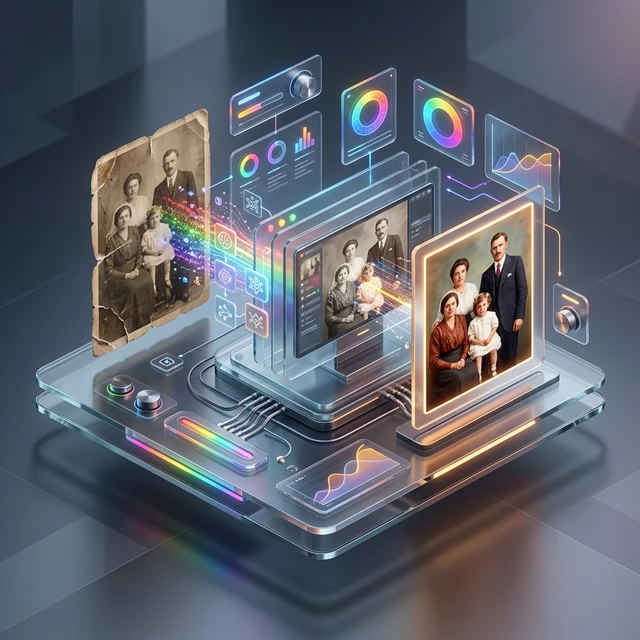
The architecture behind AI photo colorization has evolved brutally fast. What used to demand hours of painstaking, destructive layer‑masking in Photoshop is now being executed by high‑performance mathematical modeling inside web browsers. With the deployment of AFFLIGO's Elite V3 Sovereign Engine, we've fundamentally removed the need for remote cloud processing. By leveraging WASM (WebAssembly) and Bilateral Pre‑Denoising, our zero‑cloud colorization suite maps accurate semantic luminance directly to your local hardware. This expert guide breaks down exactly how to extract the maximum fidelity from your historical black‑and‑white archives, securely and natively. Curiosity Check: Did you know that a single 600 DPI scan contains enough pixel data for the AI to distinguish between skin texture and fabric weave—enabling color choices that respect the physical material properties of the original scene?
Table of Contents
- The Science Behind AI Photo Colorization
- Color Theory in Photo Colorization
- Historical Accuracy and Context
- Image Analysis and Object Recognition
- Transform Your Black and White Photos
- Step‑by‑Step Professional Colorization Process
- Step 1: Image Preparation and Optimization
- Step 2: AI Model Selection and Configuration
- Step 3: Colorization Processing and Analysis
- Step 4: Post‑Processing and Refinement
- Advanced Colorization Techniques
- Quality Assessment and Validation
- Common Challenges and Solutions
- Professional Tools and Software
- Integration with Photo Restoration Workflows
- Quality Assessment and Validation Methods
- Ethical Considerations in Photo Colorization
- Future Trends in AI Colorization
- Transform Your Black and White Photos
- Expert FAQ
- Related Photo Colorization Guides
The Science Behind the V3 Sovereign Engine
Unlike older generative models that blindly painted over pixels, the Elite V3 Sovereign Engine operates on strict structural geometry. Through advanced Sobel edge detection, it analyzes the abrupt changes in pixel intensity—preventing color bleed between distinct objects like a subject's skin and the background foliage. By pairing these geometric boundaries with dynamic semantic weights, the engine mathematically determines where one context ends and another begins, completely executing within the browser's local computational endpoint without API latency.
Chromatic Mathematics & Luminance Anchors
Historical colorization is not just throwing paint at a canvas; it requires a rigorous application of chromatic math. Our model interpolates luminance (the grayscale brightness) against established historical color matrices. By evaluating the structural intensity—whether evaluating the specular highlight of a 1920s automobile or the soft diffusion of skin tones—the engine applies highly calibrated saturation levels. This strict adherence to luminosity‑chroma mapping prevents the artificial, oversaturated look typical of consumer‑grade cloud apps.
Zero‑Cloud Security for Heritage Archives
Perhaps the most critical advancement in modern colorization isn't just visual accuracy, but data security. Archival photographs, private family heirlooms, and classified historical documents cannot legally or ethically be uploaded to random third‑party cloud servers. By shifting the entire tensor compilation and WebGL inference pipeline directly into the client‑side sandbox, we guarantee 100% data immutability. Your historical assets are mathematically processed by your own CPU, strictly neutralizing any risk of remote data scraping.
Bilateral Denoising and Structural Integrity
Before any color is applied, raw mathematical triage must occur. Historical prints often carry heavy physical degradation, silver gelatin grain, or modern digital compression artifacts. Our architecture triggers a Bilateral Pre‑Denoising Phase before edge‑mapping begins. This spatial filter flattens out aggressive micro‑grain while forcefully maintaining the sharp structural lines of human faces and architecture. The result is a pristine, noise‑free topographical map ready for semantic color insertion.
Transform Your Black and White Photos
Experience the power of our advanced AI colorizer with cutting‑edge neural networks.
Colorize Photos Now →Step‑by‑Step Professional Colorization Process
Step 1: Input Vector Preparation
The input vector dictates the output fidelity. Before feeding an asset into the V3 Engine, ensure your scan is pristine. If your source image suffers from deep JPEG compression artifacts or heavy physical scratching, it will throw off the edge‑aware mapping. We recommend scanning archival photos at a minimum of 600 DPI, exporting them as lossless PNGs, and passing them into our local interface. The Bilateral Pre‑Denoising phase will mathematically smooth out inherent vintage film grain prior to color assignment.
Step 2: Semantic Target Configuration
Different historical subjects require different heuristic weights. The AFFLIGO engine provides discrete semantic targets natively. If processing a close‑up, the 'Portrait Precision' matrix heavily weights warm, multi‑layered skin tones. For sweeping environmental shots, 'Cinematic Landscape' alters the algorithms to prioritize atmospheric scattering and deep organic greens. By selecting the correct localized structural preset, you bypass the generic 'one‑size‑fits‑all' color bleed seen in legacy tools.
Step 3: Real‑Time WASM Compilation
Once you initiate the process, the action happens entirely in your local hardware sandbox. The WASM compiler reconstructs the image memory, calculating spatial gradients in real‑time. This isn't a cloud upload—your CPU/GPU directly processes the unmapped luminance against our semantic color vectors. Because the data stream never leaves your device, rendering occurs almost instantaneously, allowing for rapid iteration of intensity and vibrance sliders without network delay or throttling.
Step 4: Composite Contrast & Export
After the V3 engine merges the simulated color space with your original high‑resolution structural layer, post‑processing is minimal. The resulting composite uses advanced localized contrast stretching to ensure shadows remain dense and highlights stay crisp. We guarantee the output is free of downsampling, meaning you can immediately export the colorized result as a production‑ready JPG, primed for archival storage or large‑format museum printing.
Advanced Colorization Diagnostics
For purists, basic generative processing is insufficient. Advanced colorization requires structural diagnostics where the AI assesses the depth map of a monochrome photo. By mapping highlights (specularity) and shadows (ambient occlusion), the engine can infer whether a surface is metallic, organic, or woven cloth. Our architecture's natively integrated models evaluate these parameters, applying context‑aware color layers that respect the physical properties of the materials depicted in the historical asset.
Quality Assessment and Validation
| Quality Metric | Assessment Method | Acceptable Range | Optimization Techniques | Impact on Results |
|---|---|---|---|---|
| Color Accuracy | Pattern reference comparison | 80‑92% fidelity | V3 Engine fine‑tuning | Visual authenticity |
| Skin Tone Realism | Expert evaluation | Natural appearance | Specialized training | Human subject quality |
| Color Consistency | Regional analysis | Harmonious relationships | Balance adjustment | Overall visual appeal |
| Detail Preservation | Pixel‑level comparison | Minimal loss | Resolution optimization | Image clarity |
Resolving Edge‑Bleed and Chroma Artifacts
The cardinal sin of amateur AI colorization is "edge bleed"—where the color of a subject's shirt bleeds into the background wall. This happens when basic models lack geometrical awareness. The AFFLIGO V3 Engine strictly prevents this via Sobel operator algorithms that draw invisible hard boundaries between distinct contrast zones. Additionally, pure grayscale images often trick neural networks into misidentifying organic textures. By giving users manual control over 'Color Intensity' and 'Vibrance', we ensure that archivists can physically dial back the algorithmic strength when processing highly ambiguous historical patterns.
High‑Fidelity Browser Processing
Until recently, executing this level of multi‑layered computational math required dedicated desktop software or costly API credits from cloud vendors. By compiling our exact machine‑learning models into WebAssembly, AFFLIGO executes the heavy tensor processing natively by tapping into your machine's CPU/GPU architecture. This leap in web technology grants you enterprise‑grade colorization software directly in your browser, completely free of usage limits or queuing delays.
Archival Integrity & Non‑Destructive Outputs
From an archival standpoint, photo colorization must always remain additive, never destructive. We strictly enforce this principle. The AI strictly processes a memory‑buffer copy of your file, guaranteeing your original heritage photograph remains fundamentally untouched. A colorized variant is offered for visual enhancement and emotional engagement, serving as a companion piece to the primary historical record rather than a replacement.
The Future of Edge‑Aware AI Models
The progression of client‑side architecture means that the dependency on centralized cloud servers for heavy imaging tasks is dying. As WebGL constraints loosen, the ability to run heavy neural matrices natively within browser sandboxes continues to expand. For now, our Elite V3 Sovereign Engine represents the absolute bleeding edge of what is mathematically possible within a local‑compute environment, setting the standard for secure, zero‑cloud restoration suites.
Transform Your Black and White Photos
Experience the power of our advanced AI colorizer with cutting‑edge neural networks.
Colorize Photos Now →Expert FAQ: AI Photo Colorization
AI colorization mathematically achieves striking realism by assessing natural elements like foliage, skies, and skin through semantic luminance mapping. While clothing and niche objects rely on intelligent structural estimates, our Elite V3 Engine utilizes specialized models (e.g. Portrait, Landscape) to refine these guesses, preventing the "dull" bleeding commonly seen in generic colorizers.
No, AI colorization is completely non‑destructive when properly implemented. The process creates new colorized versions while preserving original black and white images. Professional workflows always maintain original files as archival copies. Colorization works on digital copies, ensuring physical and digital originals remain unchanged. This non‑destructive approach allows multiple colorization attempts and preserves historical documentation.
High‑quality formats work best: PNG for lossless compression, TIFF for archival quality, and high‑resolution JPEG (300 DPI minimum) for good balance of quality and file size. Avoid heavily compressed formats that lose detail. Grayscale images should have sufficient contrast and detail. Scanned photographs at 300‑600 DPI provide optimal input for AI processing. Format choice significantly impacts final colorization quality.
Ready to use the Ai Photo Colorizer?
Experience the fastest, most secure browser‑based tool on AFFLIGO Smart Tools Hub. No installation or sign‑up required.
Try the Tool Now